

In the last two parts , Local Port Forwarding and Remote Port Forwarding , we covered the two main directions of SSH port forwarding: local and remote. Those are the ones most people struggle with at first, but once you understand them, everything else falls into place. The next type of SSH tunnel builds on what you already learned about local forwarding, but adds an intermediate step.
Instead of forwarding traffic directly to the SSH server, we forward it through a machine that sits between you and the actual target. This intermediate machine is commonly known as a bastion host.
SSH Proxy Tunnel (Forwarding Through an Intermediate Server)
So here is how it looks like, one machine is exposed to the outside world, while the internal systems sit protected behind it. For most of the part, you can only reach the bastion host directly. The internal systems are hidden away, inaccessible from the public internet. Since the bastion host has access to those internal systems, it becomes our gateway into the private network. So we can make use of ssh local port forwarding to reach those internal systems through the bastion host.
So here is how it works: you open a local port on your laptop, just like standard local forwarding. But instead of sending that traffic directly to the SSH server, you tell SSH to forward it further into the internal network, to a machine that only the bastion host can reach.
To make this clearer, here’s a visual representation of how local port forwarding works when a bastion host sits between you and the internal machine:
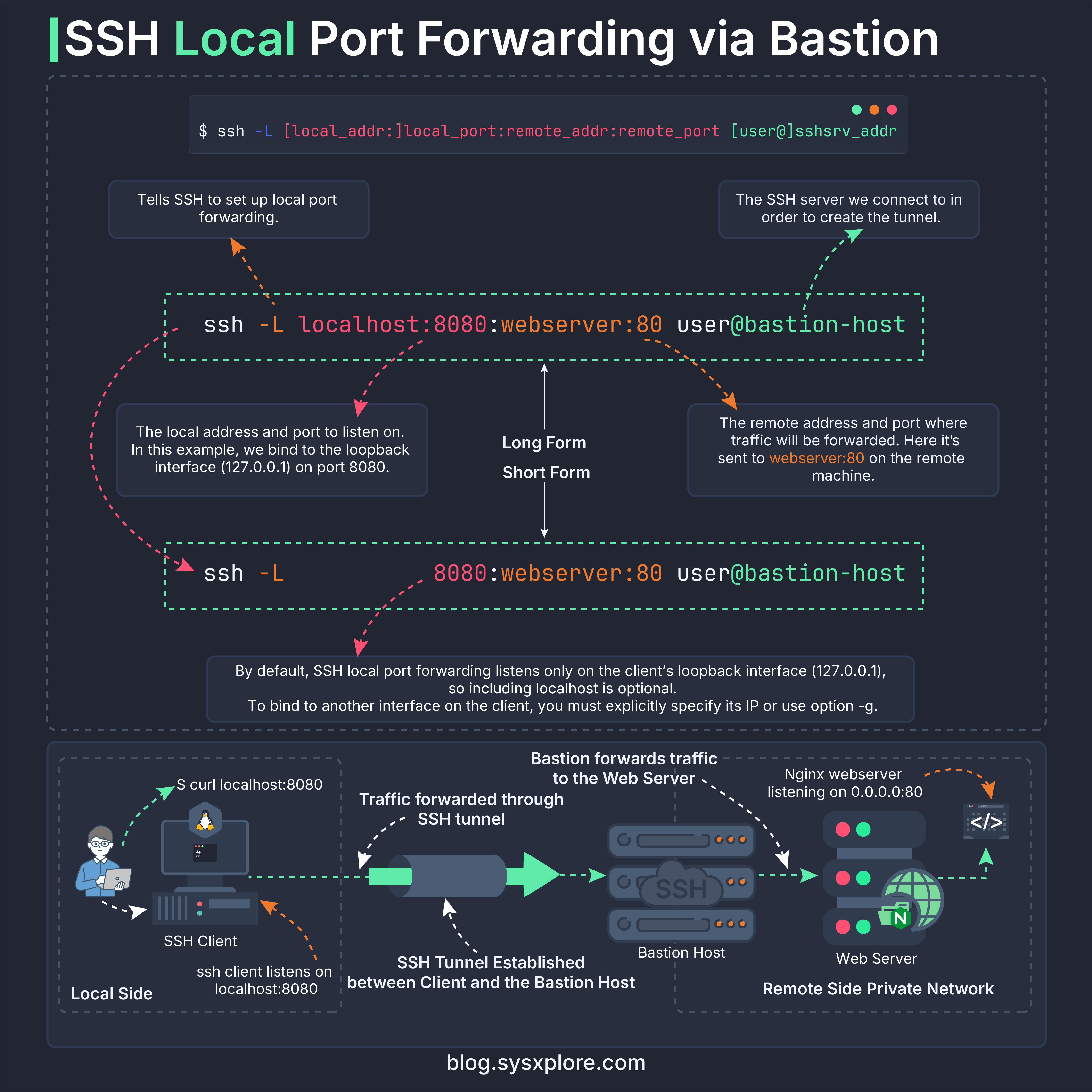
Let’s demonstrate this in the lab.
Lab Setup
So for this I have setup 3 machines:
The client machine (192.168.56.10 ) where I’ll run my SSH command and open the tunnel.
The bastion host (192.168.56.11) which I’ll connect to via SSH.
The internal machine (192.168.57.11) that I want to reach through the bastion host.
NOTE:
If you skipped the first part or haven’t set up the lab yet, the GitHub repository includes the full setup so you can start from here.
Verifying Connectivity
The internal machine is running a simple webserver on port 80. From the client machine, we cannot reach the internal machine directly. Let’s confirm that by trying to curl the internal machine from the client:
$ vagrant ssh client
$ curl --max-time 5 http://192.168.57.11

As you expected, the connection times out because the internal machine is not reachable from the client machine. Now, let’s set up the SSH proxy tunnel through the bastion host to reach the internal machine.
Creating the SSH Proxy Tunnel
The syntax looks identical to normal local port forwarding:
$ ssh -L <local_port>:<remote_host>:<remote_port> user@bastion_hostThe difference lies in what remote_host is. Instead of pointing to the SSH server itself, it points to a third machine beyond it, something your laptop cannot reach, but the SSH server can.
To establish the tunnel, run the following command on the client machine:
$ ssh -N -L 8888:192.168.57.11:80 vagrant@bastionIn this setup:
bastion (192.168.56.11) is the SSH server you connect to
192.168.57.11 is the internal machine we want to actually reach to.
Port 8888 on your laptop becomes the entry point for all traffic
Once the tunnel is active, we can open a new terminal window on the client machine to test the tunnel. First, let’s confirm that the ssh tunnel is listening on port 8888:
$ sudo lsof -i :8888
Great! The ssh process is listening on both IPv4 and IPv6 localhost on port 8888. This confirms that our SSH proxy tunnel is active and ready to use.
In the new terminal window, lets try to access the internal machine through the tunnel by sending a request to localhost:8888 on the client machine:
$ curl http://localhost:8888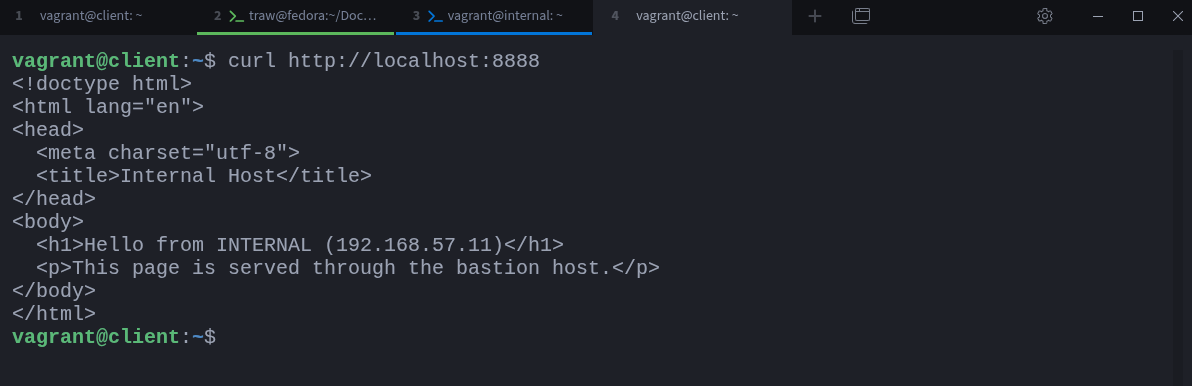
Fantastic! We have successfully accessed the internal machine through the SSH proxy tunnel. The traffic was forwarded from our local port 8888 to the internal machine’s port 80 via the bastion host.
is equivalent to visiting:
$ vagrant ssh bastion
$ curl http://192.168.57.11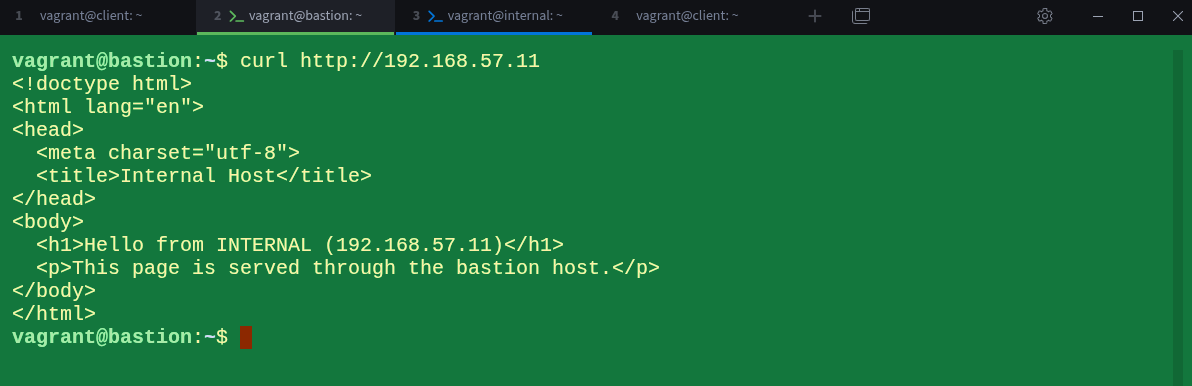
from the bastion server’s point of view.
Even though your laptop has no route to the 192.168.57.11 host, the bastion server does, and that’s enough. The bastion server becomes your bridge into the internal network, quietly passing traffic through without exposing any ports publicly.
This pattern is common in cloud setups, corporate networks, and environments where internal services must stay hidden. Instead of modifying firewalls or configuring VPNs, you rely on the one machine you’re allowed to access and let SSH handle the rest.
This not all you can do with ssh tunnels, the world is your oyster, it all depends on your creativity and use case, so don’t be limited to think outside the box. You can also reverse this setup and do remote port forwarding through a bastion host as well, but I will leave that as an exercise for you to try it out yourself.
If you’re curious what that reversed setup looks like in practice, here’s a diagram showing remote port forwarding through a bastion host:
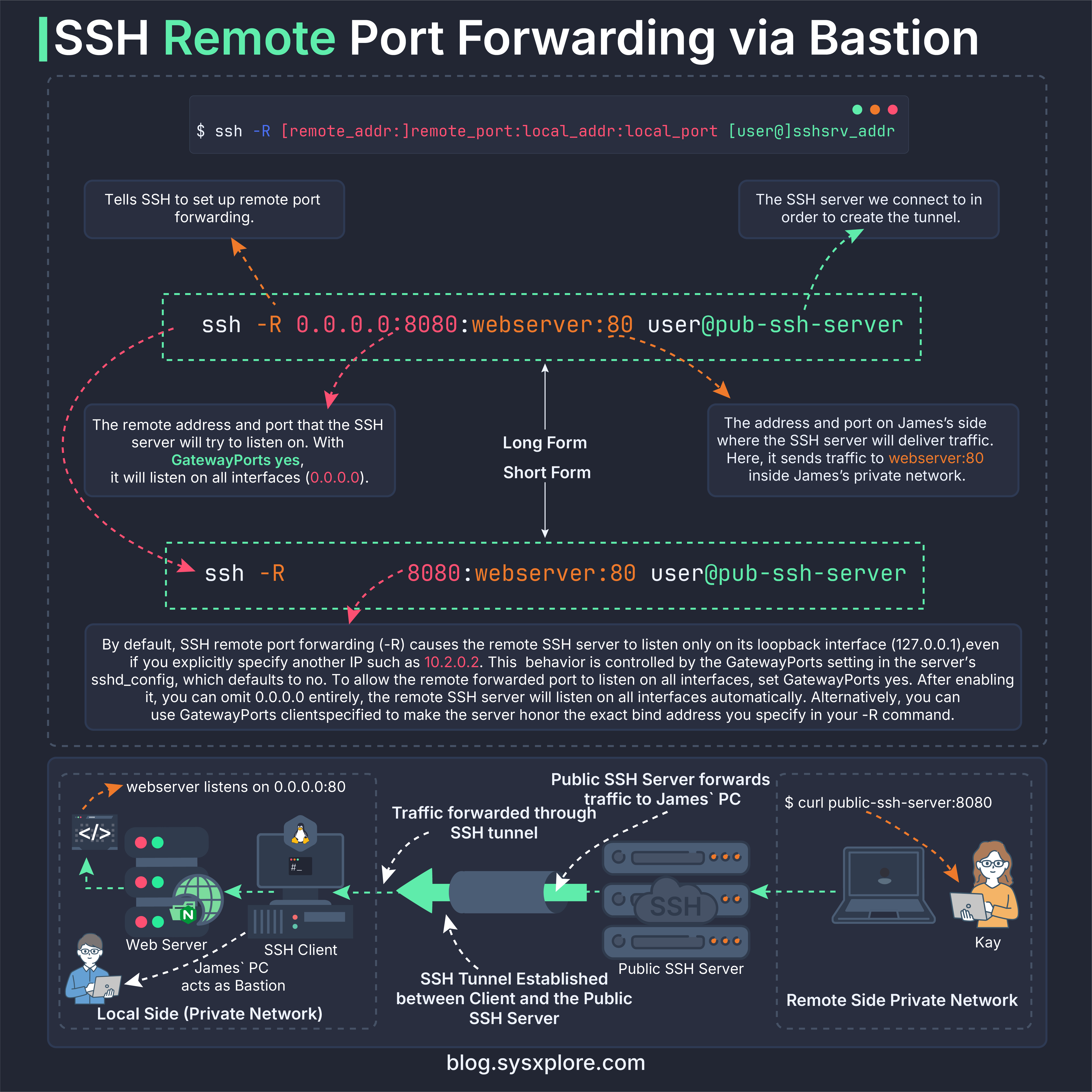
This is not covered in this part, but the diagram can help you visualise how the reverse flow works.
Looking Ahead
Proxy tunneling gives you a way to reach systems that sit deeper inside a private network, but SSH has one more trick up its sleeve. In the next part, we’ll explore Dynamic Port Forwarding and see how SSH can act as a SOCKS5 proxy, letting your applications decide where their traffic should go.
Thanks for reading!
If you enjoyed this content, don’t forget to leave a comment, like ❤️ and subscribe to get more posts like this every week.